Unauthenticated RCE affecting 35 million ASUS routers
As part of my ongoing security research into six or seven different router vendors (see motorola and tplink), I ended up taking a look into ASUS and their router firmware.
I ended up choosing the ASUS “RT-AX86U Pro” as a starting point for this research. It’s a popular WiFi 6 gaming router that released in 2022. It also has the ability to act as a mesh router.

My very first router finding was a command injection vulnerability in my TPLink router. I decided to look for a similar issue in the ASUS firmware.
The first step was to open some of the binaries in a tool called IDA, and look at what cross references there were to the Linux “system” syscall. However as it turned out, ASUS runs any Linux commands via a wrapper called “doSystem” instead.
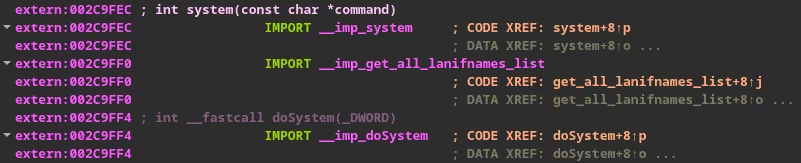
When I pulled up the cross-references to “doSystem” in ASUS’s httpd binary, I found that there were 109 different instances where it was being called.
I only had to check 7 of these functions to find a vulnerable sink.
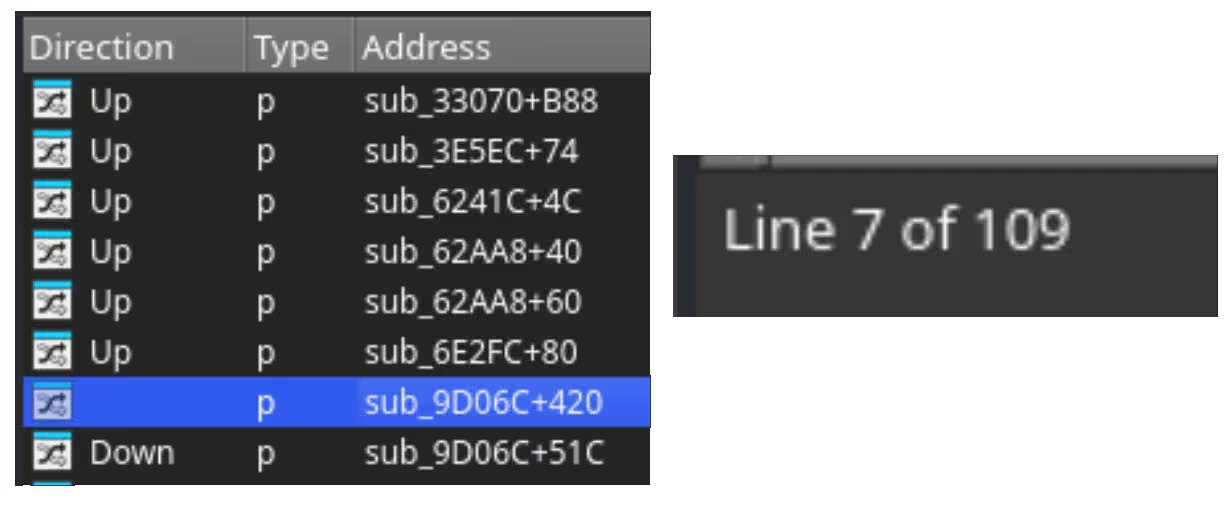
This caller was from a function that handled updating the NTP server that the router used.
In short, it pulls the first 32 characters of “ntp_server0” from storage (NVRAM) and then calls “nslookup” with the value as the argument being parsed in.


The main issue is that you can use a metacharacter such as “;” to escape from the intended nslookup command and run a second command of your choosing as well.
An example payload is ;telnetd -l/bin/sh -p9999; which fits within 26 of the 31 usable characters (one byte is reserved for a null/terminator byte).
This evaluates to nslookup ;telnetd -l/bin/sh -p9999; &> /dev/null and results in three different commands attempting to be run.
nslookup (doesn't do anything)
telnetd -l/bin/sh -p9999 (spawns a telnet shell)
&> /dev/null (fails and does nothing)
To set this over the network, you can call the following endpoint. This endpoint requires an administrator authentication token to trigger.

Authentication bypass
This naturally brings us to the next stage of exploitation. By requiring an admin login, this makes it more akin to a jailbreak than a real exploit. So I went searching for an authentication bypass.
ASUS has a mobile app that lets you control your router from your phone. It has over 5 million downloads on Android and has decent reviews.
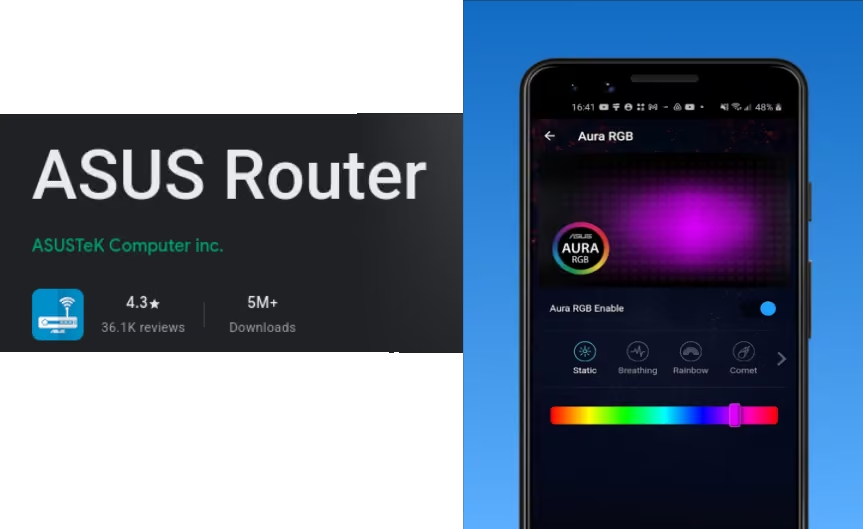
To control your router via the mobile app, you need to first link the router via OAuth to your ASUS account. Once it has been linked, the mobile app calls /asusrouter_request_token.cgi with proof that you are signed into your ASUS account.
If the router confirms that the OAuth proof is valid and correlates with an authorised account, it saves the mobile app’s unique device_id to NVRAM alongside a randomly generated shared secret.
This shared secret and a short lived administrator authentication token is shared with the end user (mobile app).
{"asusrouter_refresh_token":"%s", "asus_token":"%s"}
If at a later date, the mobile app needs to refresh that admin authentication token after it has expired, the app calls /asusrouter_request_access_token.cgi.
It encrypts the current time and the MAC address of the router with the shared secret. This payload is sent to the router alongside its unique device_id.
{“label_mac”:"%s", “timestamp”: %d}
If the payload decrypts, the MAC address is correct and the timestamp is recent, and it mints a new admin token for the mobile app to use.
The following screenshot is a pseudocode mockup of how this functionality works.
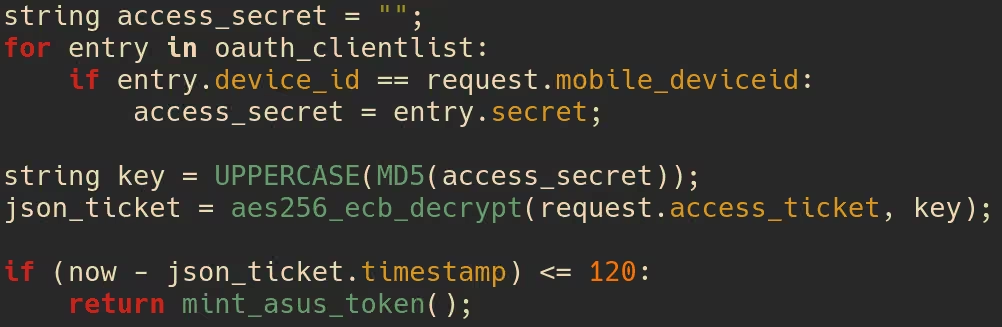
It first initialises the shared secret to be a blank string, then if it can find the device_id in NVRAM it pulls the corresponding shared secret and sets the string to that value.
It then attempts to decrypt and validate the encrypted payload using the secret, if it succeeds then you are given an admin token.
The problem is that it does not early-exit if you provide a device_id that has not been registered.
An attacker can then encrypt the current time and router MAC address using a blank key, then send the router the payload alongside an invalid device_id.
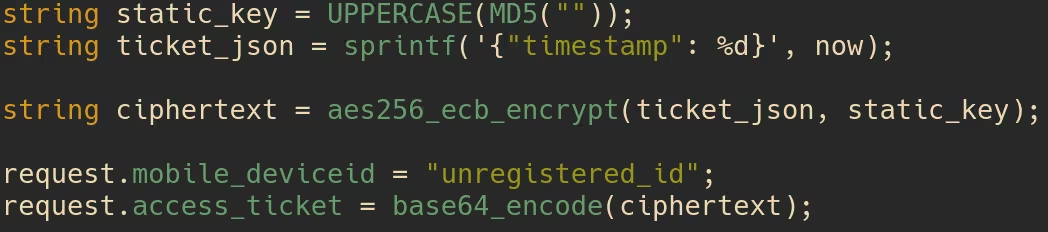
This makes the full chain be the following:
- Forge an access token using an invalid device id
- Use the token to set a short command as the ntp_server
- Wait for the NTP server to auto restart
- You get a shell!
There is also an alternative path that I found to be more reliable:
- Forge an access token using an invalid device id
- Use the token to enable SSH access (over the LAN or WAN)
- Use the token to add an SSH public key to be authorised
- SSH into the router
- You get a shell!
I didn’t realise this until I actually went out and bought a cheap ASUS router to test this, but one big caveat is that the exploit does not work if no one has completed the mobile app’s pairing process.
If you avoided downloading the app for whatever reason, you can be proud because it just saved you from potentially getting hacked.
Additional findings
While brainstorming possible attacker scenarios with Steve Burke (Gamers Nexus) I suggested that an attacker could use a guest network to gain a foothold onto the network.
It turned out though, that when Steve tried testing this scenario, ASUS applied device isolation to the guest network so the exploit couldn’t talk to the router.
All was not in vain though, it turns out that when I took another look at the firmware for the router, the guest isolation iptables rule only applies to IPv4 and you could theoretically exploit this via IPv6.
Proof of Concepts
The alternative (SSH) path proof-of-concept can be found at: https://github.com/cybersecurity/ASUS-Router-RCE-PoC
(Full disclosure, the PoC is entirely vibe coded)
Affected devices
In our email exchanges, ASUS did not want to give me a list of affected models and would rather give me the affected firmware versions.
With this information in hand I performed a binary search and found that every router from 2018 onwards is likely affected by this vulnerability.

I then fed this information to Claude (so you know its probably wrong) and it estimated that ~35 million routers worldwide are affected by this vulnerability.
Reporting
As I expected, ASUS was somewhat troublesome to report vulnerabilities to. I first reported my findings in late June, and despite them providing Beta firmware 2 months into the 3 month disclosure period, they said they would not be able to publish the fix within the 90 day period.
As a result of this, they wanted an additional 30 day extension which I declined.
Regarding the identified vulnerabilities, we anticipate that the necessary updates and fixes will be ready for release between the end of October and the middle of November.

In light of this timeline, and referencing the industry-standard 90 (+30) day disclosure period, we would like to request that the publication of any related articles or public disclosures be delayed accordingly.
After declining their 30 day extension, I saw that only a short time later, they had pushed out a fix for this vulnerability for some of the affected router models (I didn’t check all of them).
Given this, I am a little confused. If they managed to get the fix for the vulnerability shortly after asking for additional time, then why ask in the first place.
ASUS has not responded back to me via email since I declined their extension and have not told me if any CVEs have been assigned yet.
Donations
So far, for the vulnerabilities I have personally reported to AMD, ASUS, Google, Motorola, MSI, Netgear, TP-Link (and more), I have been paid a total of $0 in bug bounties.
If you found this article interesting or useful, you can buy me a coffee via my Ko-fi: https://ko-fi.com/mrbruhh
Timeline (DD/MM/YYYY)
- 27/06/26 – Report submitted
- 01/07/26 – ASUS Acknowledges report
- 03/08/26 – Requested update
- 07/08/26 – 3 of 4 vulns accepted. One is a dupe.
- 19/08/26 – ASUS provides Beta firmware
- 04/09/26 – Requested update
- 26/09/26 – 90 day disclosure period ends
- 15/11/26 – Vendor estimated fixed firmware release date